· Announcement, New Feature, Teachers, Pro
Introducing Puzzle Sets: Share Multiple Puzzles With One Link
Most puzzle activities are not a single puzzle. A weekly vocabulary review is four word searches. A unit recap is a crossword, a matching game, and a set of flash cards. Until today, sharing that meant pasting four links into Google Classroom and crossing your fingers that no student opened them out of order.
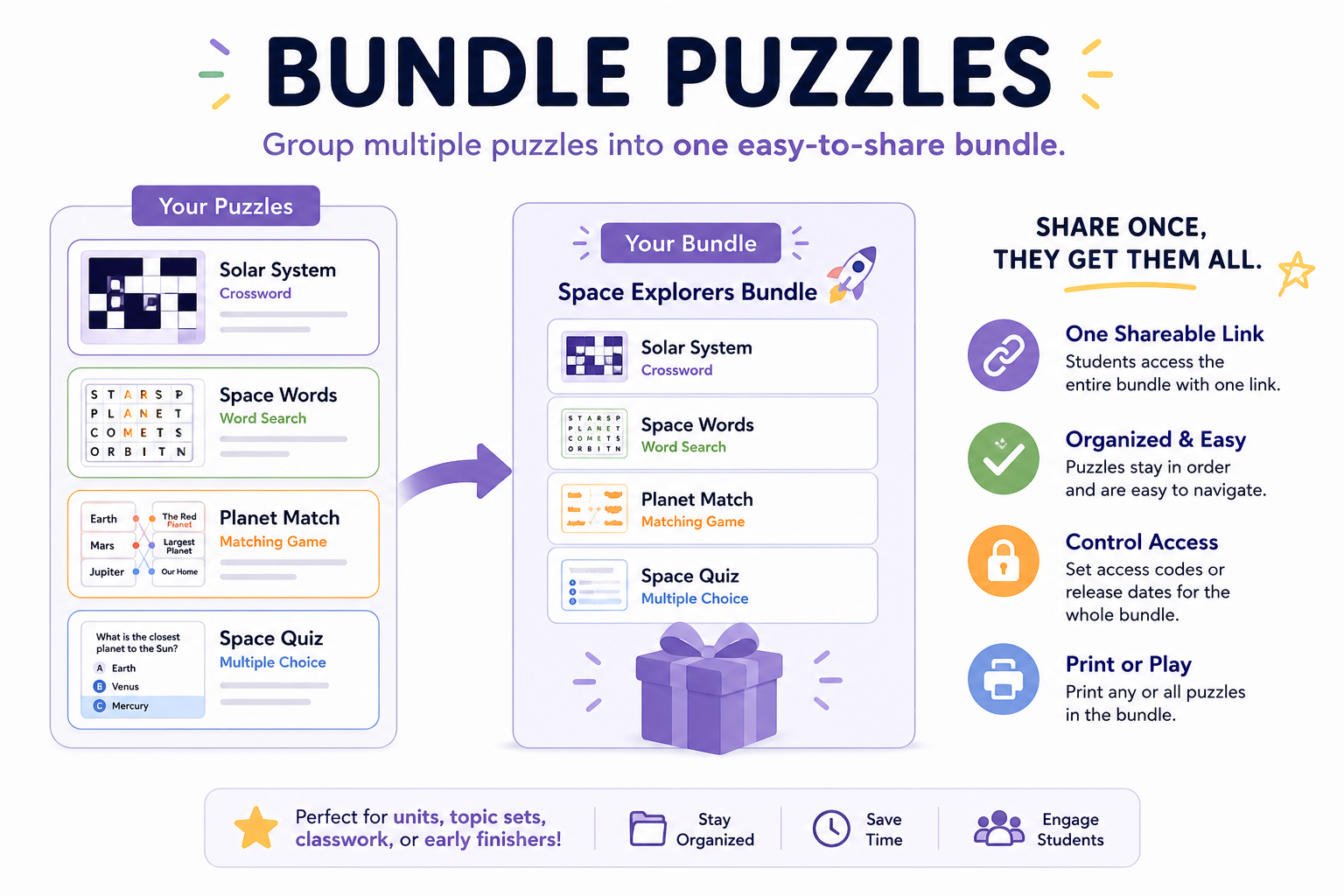
Puzzle Sets fix that. Bundle any combination of crosswords, word searches, flash cards, matching games, and word scrambles into one shareable link. Students get a single URL, work through the puzzles in the order you chose, and you see how the whole set is performing in one place.
How It Works
From your dashboard, click Create Bundle. Your puzzle rows turn into checkboxes. Pick the puzzles you want to include, click the Bundle N puzzles button, give the set a title, and you are done.
You get a /set/<code> link that opens a clean public page listing every puzzle in the bundle. Each one links to the normal solving experience, and when a student finishes one, a Next puzzle button takes them to the next puzzle in the set. After the last one, they see a small "All done!" confirmation.
What This Is Good For
A few classroom shapes this fits well:
- Unit reviews. One link for the whole packet. Crossword for terms, matching game for definitions, word search for spelling, flash cards for self-study.
- Sub-day activities. Drop a single link into your lesson plan. Whoever is covering the class does not have to manage five tabs.
- Early finisher work. Give the fast finishers a bundle they can dig into without bothering you.
- Weekly homework. Build one set per week. Students bookmark the link. You see weekly aggregate stats per set.
- Topic units. Solar system one week, weather the next. Each unit is a set.
Aggregate Stats
On the dashboard, every set shows its own card with total views and solves across all puzzles in the bundle. So instead of clicking into five individual puzzles to see what is working, you get the rollup at a glance: "Week 3 Review, 24 views, 18 solves." If a set is underperforming, you notice immediately.
This pairs with the dashboard sparklines we shipped recently. Sets give you the big-picture rollup. Sparklines show you the day-by-day shape per puzzle.
Sharing Is Built In
The new share dialog (with QR code and printable handout) works on sets too. Click Share on any set card and you get the same dialog: copy the link, scan the QR code from a projector, or grab a printable cover sheet with the QR on top of the page. Tape that to a folder, hand it out as a packet, or pin it to a classroom door.
Built for Pro Accounts
Free accounts can create up to 5 puzzles total, which limits how interesting a bundle can be. Puzzle Sets are most useful when you have a real library to draw from: 30 puzzles split across the topics you teach, organized into sets per unit or per week.
That is why Sets are a Pro feature on the creation side. Anyone can open and play a set someone shared with them, but building one requires a Pro account, which also gives you:
- Unlimited puzzles
- Folders to keep your library organized
- AI-assisted clue generation
- CSV uploads for word lists
- Access codes to gate puzzles by class
- Player stats so you can see who is engaging
If you have been bumping into the 5-puzzle limit, this is the moment Pro starts paying for itself. One set is usually five puzzles by itself.
Try It
Open your dashboard and look for Create Bundle in the top action bar. If you are on the free plan and have not hit the 5-puzzle limit yet, you can still build a small set to see how it works. If you have already maxed out, upgrade to Pro and the dashboard turns into a real authoring space.
Bundle once, share once, and let your students work through it on their own time.