· Announcement, New Feature, Crossword
The New Crossword Designer: Build Puzzles Like a Pro
We've completely rebuilt the crossword builder from the ground up. The new designer gives you a split-panel layout with live preview, background customization, and a smoother workflow from start to finish.
What's New
Split-Panel Builder
The biggest change is the layout. Instead of switching between separate build, clue, and preview modes, everything now lives side by side. The left panel holds your tools and controls. The right panel shows your crossword updating in real time.
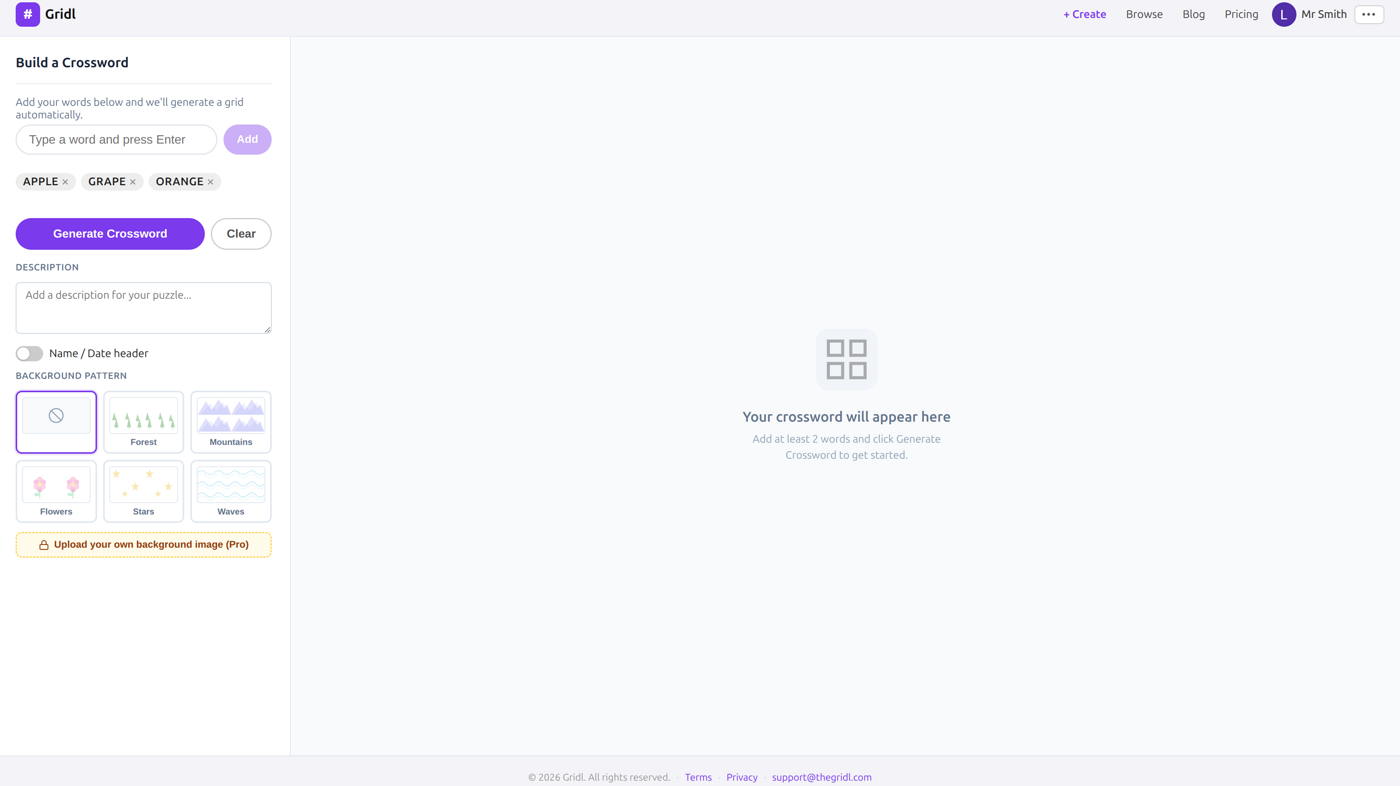
Add a word, and it appears in the grid. Edit a clue, and you see it update instantly. No more clicking back and forth.
Background Patterns
Worksheets should look good. We've added five built-in background patterns: Forest, Mountains, Flowers, Stars, and Waves. Pick one and it tiles across the puzzle area behind your grid.
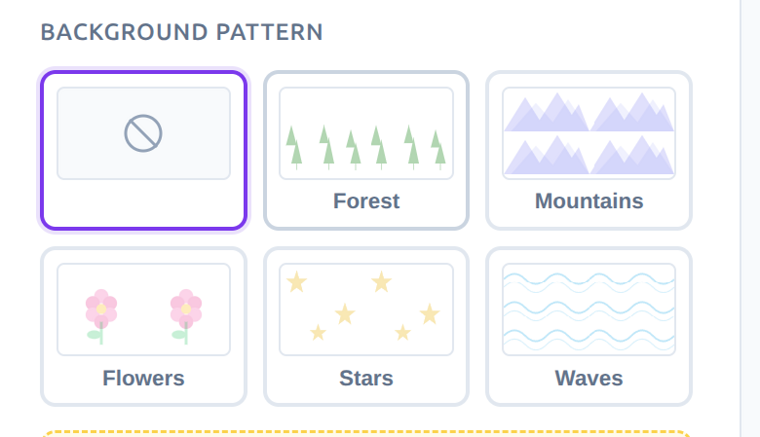
Pro members can also upload their own background image for full customization. Seasonal themes, school logos, subject-specific artwork: whatever fits your classroom.
Description and Name/Date Header
Two small features that teachers have been asking for:
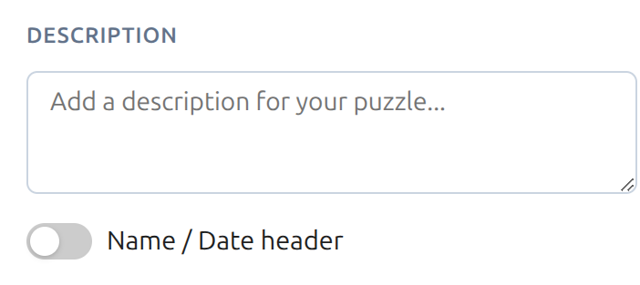
- Description field: Add instructions or context that appears above the puzzle. "Complete this crossword using your Chapter 5 vocabulary words."
- Name/Date header: Toggle on a "Name: ___ Date: ___" line above the puzzle. It prints as blank lines for students to fill in.
Background Colors
Pro members have always been able to set a background color. Now the color only applies to the puzzle area, not the entire page. This means cleaner printing and a more polished look.
The Full Workflow
Here's how it works from start to finish:
- Go to /crossword and add your words in the left panel
- Click Generate Crossword to build the grid
- Add clues manually or click Autogenerate clues to let AI handle it
- Customize: pick a background pattern, add a description, toggle the name/date header
- Click Done, then Save & Share to get a shareable link, or Print for a clean worksheet
The entire process takes under a minute for most puzzles.
Try It Now
Head to the Crossword Designer and build your first puzzle with the new layout. Everything works on free accounts. Pro members get AI clues, custom backgrounds, CSV upload, and access codes.
If you have feedback on the new designer, we'd love to hear it at support@thegridl.com.